Controlling the Lighting
To control lighting in the Brown Institute space, please go to the lighting panel located directly beneath the AV panel outside of Room 201A. If switching between lighting scenes, please select ‘Off’ in between scenes to get the desired effect.
- Day - Automatically adjusts every minute to maintain a steady light level of 83%.
- Night - 64% perimeter lighting with 34% overhead lights
- Perimeter - 70% perimeter lighting with 0% overhead lights
- Ceiling - 0% perimeter lighting with 83% overhead lighting Off
- Up/Down Lighting Arrows - Allows for 5% alterations on the night, perimeter and ceiling scenes. Up/Down settings don’t work with ‘Day’ due to the sensors driving the scene.
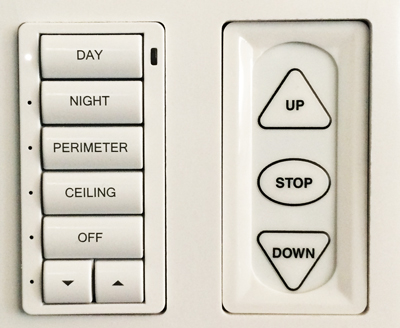
You can also access manual screen adjustments (to control the East Projection Screen) using the panel adjacent to the lighting options. Settings include Up, Down, and Stop.